

Applicant texting
Text applicants and let them book the interview
Text and email from your own business number in one conversation history. Applicants pick a time from your Google or Outlook calendar, and video interviews are built in.
Starter text and email templates are ready on day one.
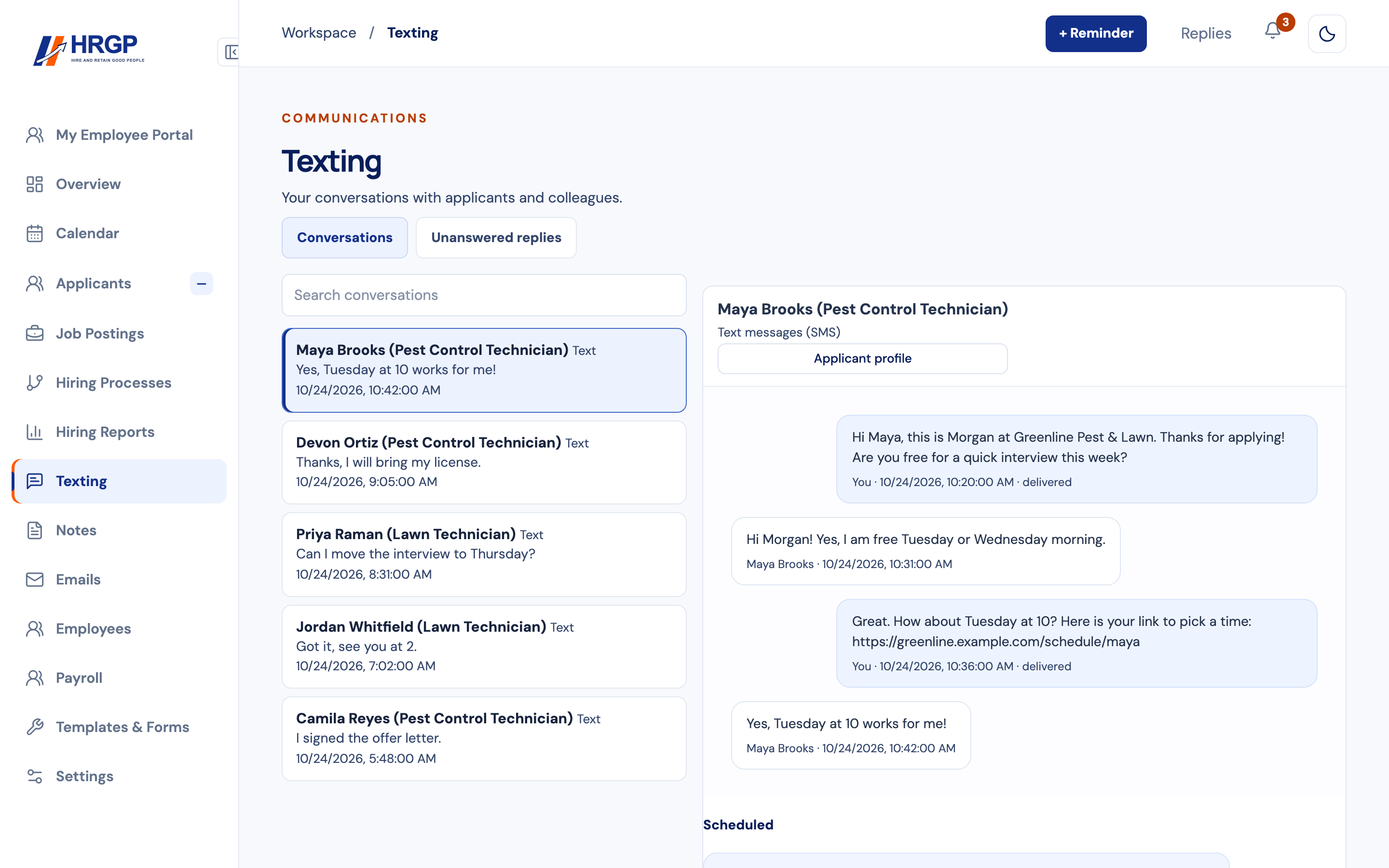

From first text to booked interview
Text the applicant from your business number
Text and email stay in one conversation history, so anyone on your team can see what was said.
Send a link to pick a time
Applicants book from your Google or Outlook calendar, from the times you offer.
Meet by video or in person
Video interviews are built in, with a history of every meeting.
Your whole conversation in one place
The Texting page lists your conversations with applicants and colleagues on one side, and the open conversation on the other. Each text shows who sent it and when, and your sent texts show when they're delivered. An Applicant profile button takes you straight to the person.
A separate Unanswered replies tab shows who is waiting on you, so a reply doesn't sit unread while you're out on a job.
Booking an interview without the back and forth
Instead of trading times by text, send the link. The applicant picks a day on a calendar and taps a time. Times show in their own time zone, and only the days and hours you offer can be chosen. They can see their booking under My Meetings.
On the Calendar page you set your available hours, and Interviews on: lets you choose HRGP, Google Calendar or Microsoft Outlook.
Getting set up
An administrator adds a texting number on the Phone Numbers screen, searching by area code, once your company's texting registration is done. Starter templates are ready to use, with merge fields for things like the applicant's first name and your company name.
Consent and opting out
When someone applies, HRGP's application notice tells them they may receive texts about their application, and that message and data rates may apply. Anyone can reply STOP to opt out.
What texting costs
- $35 one-time texting registration per company (waived during your free trial).
- $2 a month for texting, and $0.05 per text you send (counted per message, not per segment).
- Replies are free.
Applicant texting questions
Can I text applicants from HRGP?
Yes. Text and email from your own business number in one conversation history.
Can applicants book their own interview?
Yes. Applicants pick a time from your Google or Outlook calendar.
Do replies cost anything?
No. Replies are free; you pay $0.05 per text you send.
How do I see who hasn't been answered?
Open the Unanswered replies tab on the Texting page.
Can an applicant stop getting texts?
Yes. They can reply STOP at any time.
Related
Reach applicants where they answer
Part of HRGP, the HRIS for small business. $99 a month. No per-seat fees. 14-day free trial.