
01
Set up the role
Define the job, screening questions, evaluation criteria, and workflow steps your team wants to use.
AI-assisted hiring
Bring screening, interviews, assessments, communication, and team review into one clear hiring process. AI helps organize the work; your people make the decisions.
It is the hiring side of HRGP, the HRIS for small business. When you decide to hire, the same system carries on with onboarding and employee records.
Your hiring team reviews results and controls who moves forward.
How the process fits together
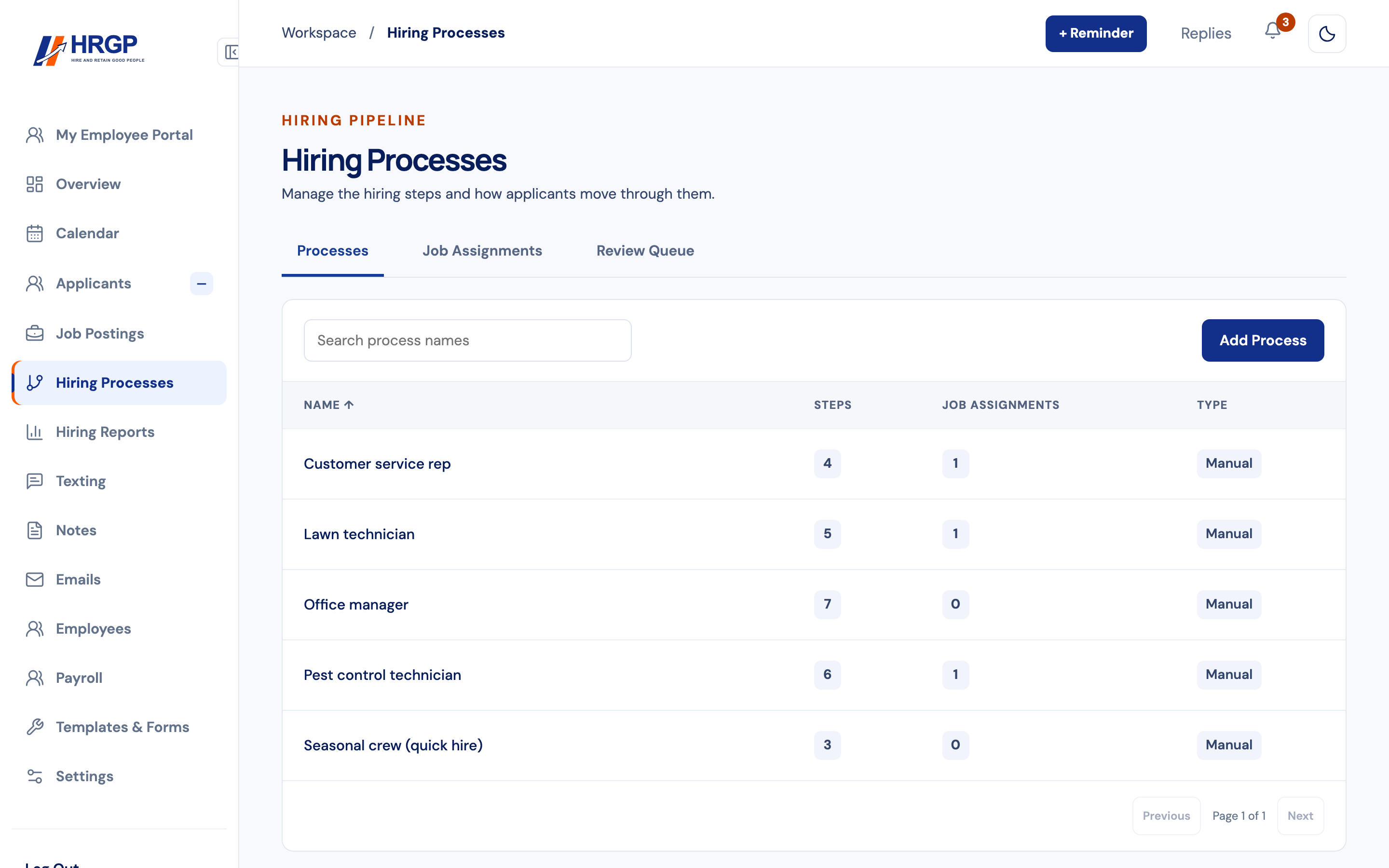
Choose the steps that fit each position. HRGP keeps the candidate record and hiring activity together as your team works through them.
Define the job, screening questions, evaluation criteria, and workflow steps your team wants to use.
Collect applications and responses, then keep candidates informed with the communication tools in HRGP.
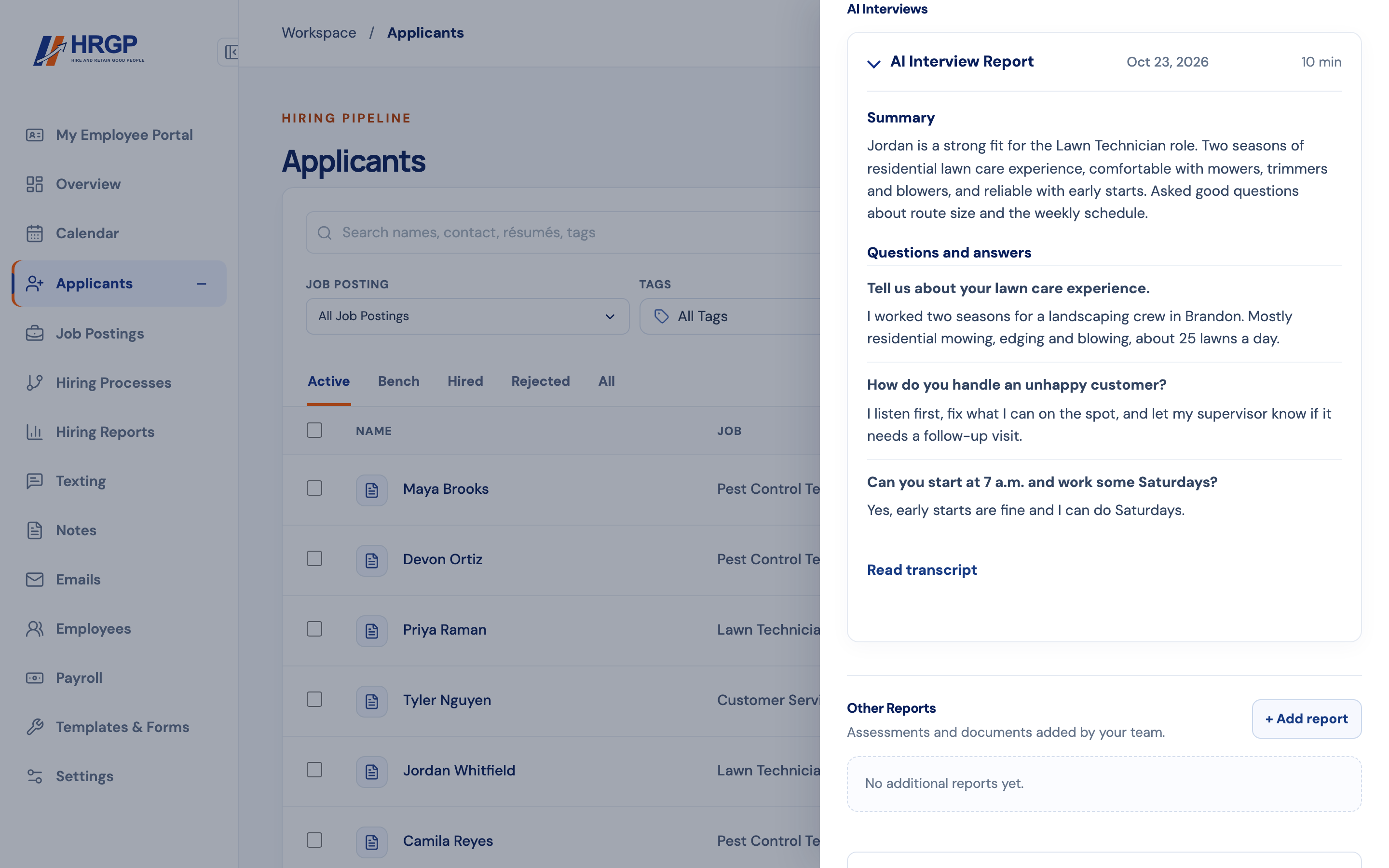
Bring job matching, AI interviews, quizzes, and Mira personality profile results into the candidate record as appropriate for the role.
Schedule conversations, hold video interviews on Google Meet, Microsoft Teams or HRGP video, and rate applicants on the same questions with interview guides.
Managers review the evidence, decide who advances, and carry the selected candidate into the next steps. On an Automated job, a review rule can pause an applicant with a red Needs review tag until a manager chooses Continue or Reject.
People stay in control
Matching reports, interview responses, screening answers, and assessments give your team more context. Review the candidate as a whole and decide what happens next.
Manual or Automated
Every job starts as Manual: your team moves applicants along by hand. An admin can turn on Automated for a single job under Hiring Processes. HRGP then moves an applicant to the next step when they complete a step, so nobody sits waiting because someone forgot to click. If applicants are already in that job, HRGP tells you how many before you confirm.
Where people step in
You set review rules on the steps in a process. A rule pauses the process until a manager looks at the applicant and chooses Continue or Reject.
A paused applicant gets a red Needs review tag on the Applicants list. Overview shows a red card with how many people are waiting, for how long, and why. Open Review Queue takes you to everyone waiting, and History keeps what was decided.
What AI does here
AI writes the first draft of a job post, suggests interview questions and answers, and summarizes what has happened with each applicant and each AI interview. You review a draft before saving it. Mira profiles are one input for your review. A Mira profile does not produce a score for a review rule.
Applicants still hear from you. Text and email stay on the same record, and an interview can be booked from a link. When you decide to hire, the same record carries on into onboarding, employee records and payroll preparation.
The HRGP platform is $99 per month after a 14-day free trial. One free AI interview during your 14-day trial; once you subscribe, 3 completed AI interviews are included each month, then $10 per completed AI interview, billed on your monthly invoice. Failed or abandoned interviews aren't charged. Uncertain results remain held for review. Texting is billed separately. Certain third-party services are charged at the provider's price, shown before you buy.