

Hire
A permanent record of every hiring decision
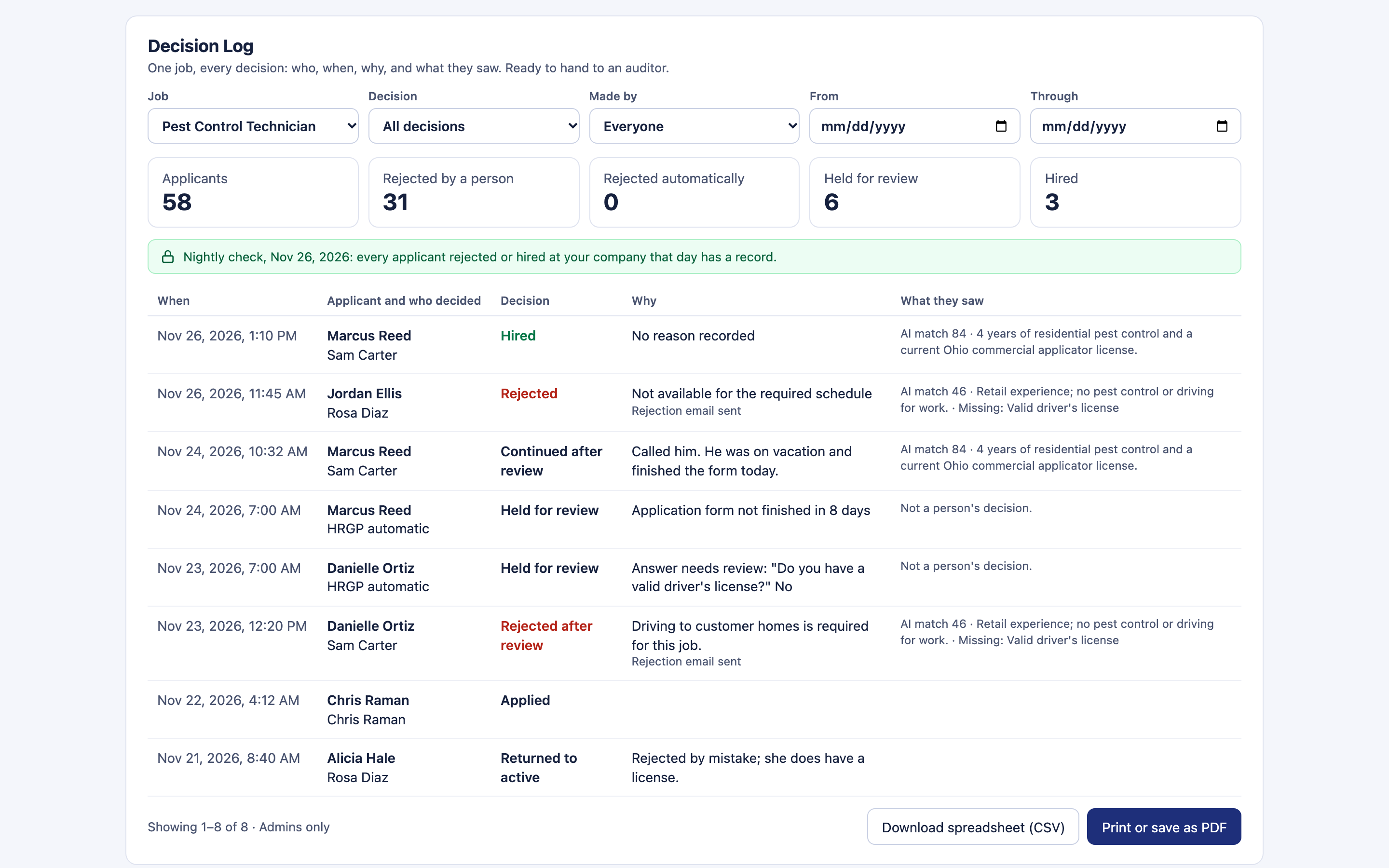
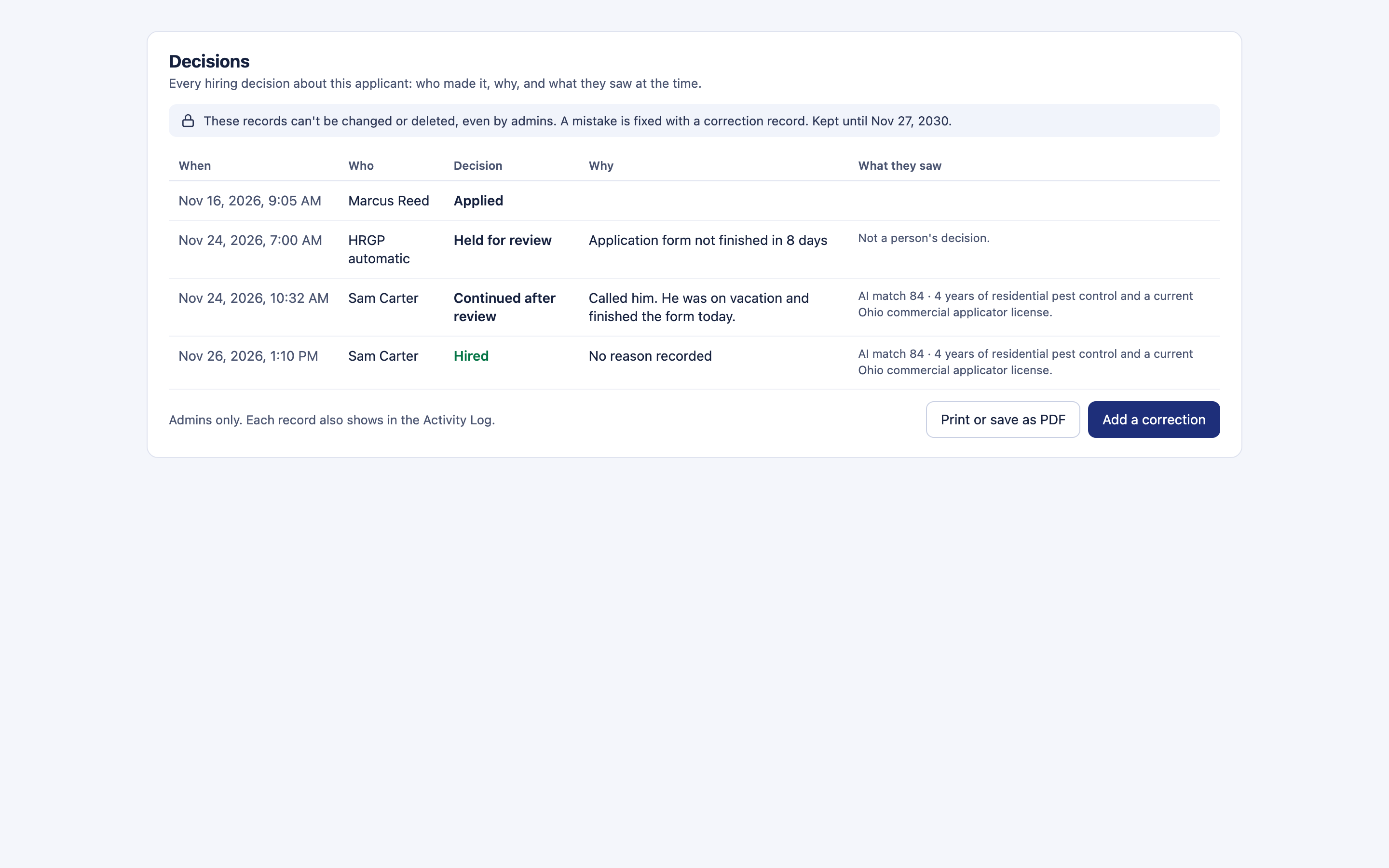
Every time someone at your company rejects, hires or holds an applicant, HRGP saves a record: who decided, when, the reason they gave, whether a rejection email went out, and the AI match and skills notes they were looking at.
Nobody can change or delete these records, not even an admin. If something was recorded wrong, you add a correction and the original stays.
How the Decision Log works
It records on its own
Applied, Rejected, Hired, Returned to active, Held for review and the decision after a review are all saved as they happen. Nobody has to remember to write anything down.
It shows who decided
A person's name, or HRGP automatic when a rule held an applicant for review.
It keeps the reason
The rejection reason or review note your team gave, and whether a rejection email was sent.
It keeps what they saw
The AI match score and skills notes on the screen at the moment of the decision.
Look by job or by applicant
Open Hiring Reports, then Decision Log, to see one job with filters for decision, person and dates. Each applicant's page also has a Decisions section.
Hand it over
Download a spreadsheet (CSV) or print or save as a PDF.
Why it matters
HRGP doesn't give legal advice. Ask your lawyer what records your business must keep.
- Rejected applicants sometimes ask why. You can answer with the reason your team gave at the time.
- More states have rules for AI in hiring. The log shows a person made each decision and what the AI showed them.
- Hiring managers change. The record stays with the company.
Built so you can trust it later
- Records can't be changed or deleted, even by admins.
- A mistake is fixed with a correction record. The original stays.
- A nightly check confirms every applicant rejected or hired that day has a record.
- Records are kept for 4 years.
- Company administrators see the Decision Log.
- Included in the $99 plan.
Decision Log questions
Do I have to turn it on?
No. HRGP records decisions for every company.
What about decisions made before the Decision Log started?
HRGP filled in earlier applications, rejections and hires from its own history, going back up to 4 years. Where it can't tell who made an older decision, it says Not recorded instead of guessing.
Can an admin delete a record?
No. Records can't be changed or deleted. To fix a mistake, press Add a correction. The correction is saved as a new record next to the original.
Does it decide anything?
No. It only records what your team and your hiring rules did.
Is it included in the price?
Yes. The Decision Log is part of the $99 plan.
Related
Know who decided, and why, for every applicant
Part of HRGP, the HRIS for small business. $99 a month. No per-seat fees. 14-day free trial.