

Grow
Keep everyone in the loop, and find out how they're doing
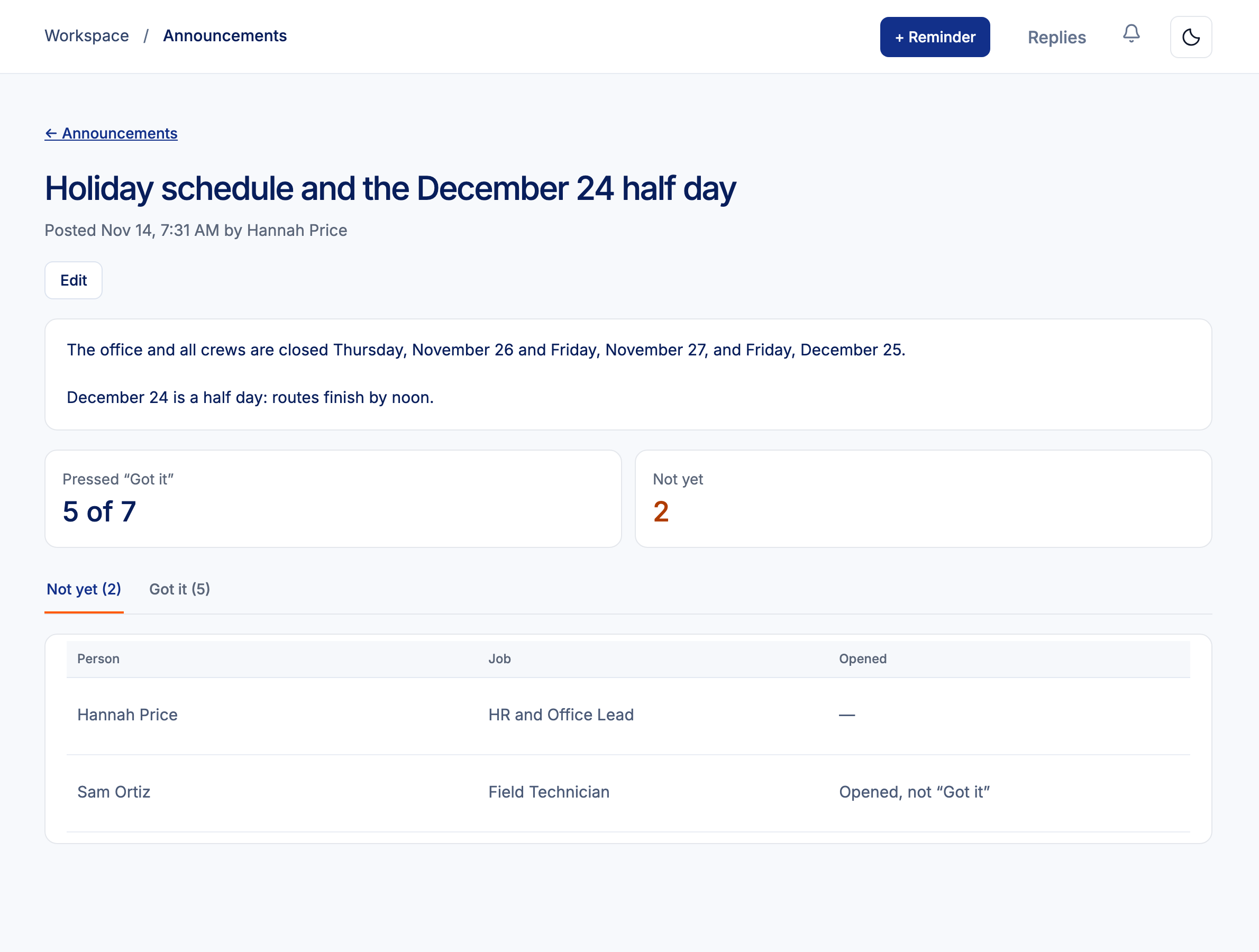
Post an announcement to everyone or one team, ask for a Got it, and see who has read it. Coworkers can thank each other with a shout-out for one of your company values.
Pulse check-ins ask a few short questions on a schedule. Nobody can see who answered what, including you.

How it works
Post
Write it, add photos or a PDF, choose who sees it, pin it, and email it too if you want.
People read it on their phone
Under News in My Employee Portal. New hires see pinned posts too.
Shout-outs
Anyone can thank a coworker for a value like Safety first or Team player. The report shows who hasn't been thanked in 90 days.
Pulse check-ins
Every week, 2 weeks or month: would you recommend working here, 3 short questions and an optional comment.
Anonymous by design
- Answers are kept with no name and no time.
- Results and comments show only when 5 or more people answer.
- Managers see only their own team.
- Summarize the comments makes a short summary; admins can hide a comment that names someone.
Announcement and pulse questions
Can managers post?
Yes, to their own team. Admins can post to everyone, a department, a location or a job title.
Can I see who wrote a pulse comment?
No. Nobody can, admins included.
Related
Post your first announcement today.
Part of HRGP, the HRIS for small business. $99 a month. No per-seat fees. 14-day free trial.