

Hire
Offer letters they can sign on their phone
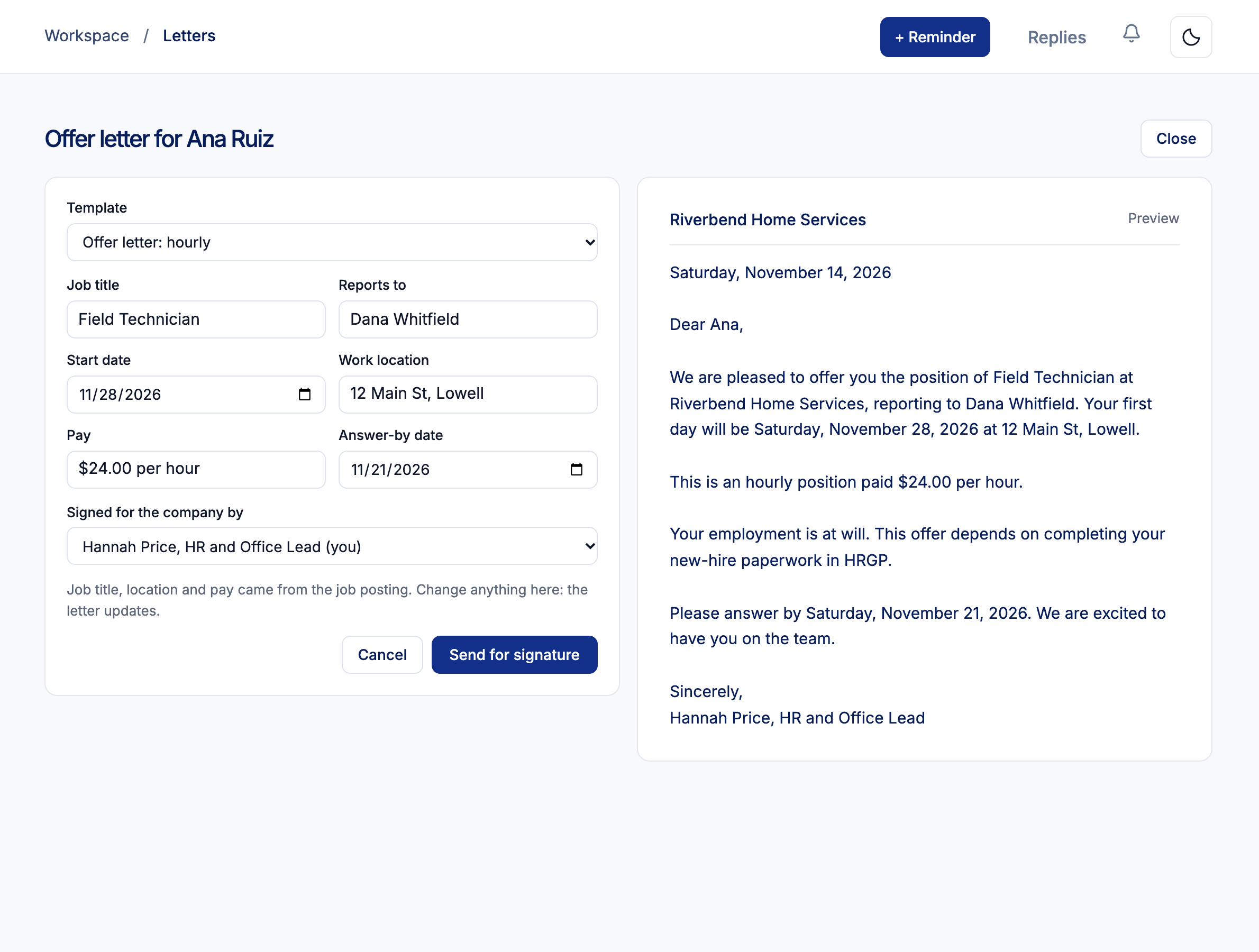
Pick a template, check the pay, start date and who they report to, and send. The person reads it from a private link, types their name and accepts, or declines with a reason.
You get the signed copy with a signature record. The same works for pay changes, promotions, written warnings and separations.

How letters work
Pick a template
Six to start: offer (hourly or salaried), pay change, promotion, written warning and separation. Replace everything in square brackets.
Fill in and send
From an applicant's Offer letter step, or Send a letter on an employee's page. Details come from the job and the person.
They sign from a private link
No HRGP account needed. They tick the box, type their name and sign, or decline an offer.
Keep the signed copy
The letter plus a signature record: who signed, when, and a fingerprint of the exact letter.
Good to know
- Remind sends a new link; Withdraw stops the link working.
- One reminder goes out 2 days before the answer-by date.
- After an offer is accepted, mark the step done and confirm the hire.
- A pay change letter doesn't change pay in Payroll; update pay there.
Letter questions
Does the person need an HRGP login?
Not for an offer. They sign from the private link in their email. Employees also see their letters in My Employee Portal.
Can I change the template wording?
Yes. Templates are yours to edit. Have a lawyer read a warning or separation template before you use it.
Related
Send your next offer letter from HRGP.
Part of HRGP, the HRIS for small business. $99 a month. No per-seat fees. 14-day free trial.