

Time & pay
Receipts in, reimbursements out, equipment back
Employees take a photo of a receipt and HRGP reads the store, date and total for them to check. Managers approve, and the money goes on the next payroll file as a reimbursement.
Equipment works the same way: hand it out, get a signed receipt, and get it back when someone leaves.
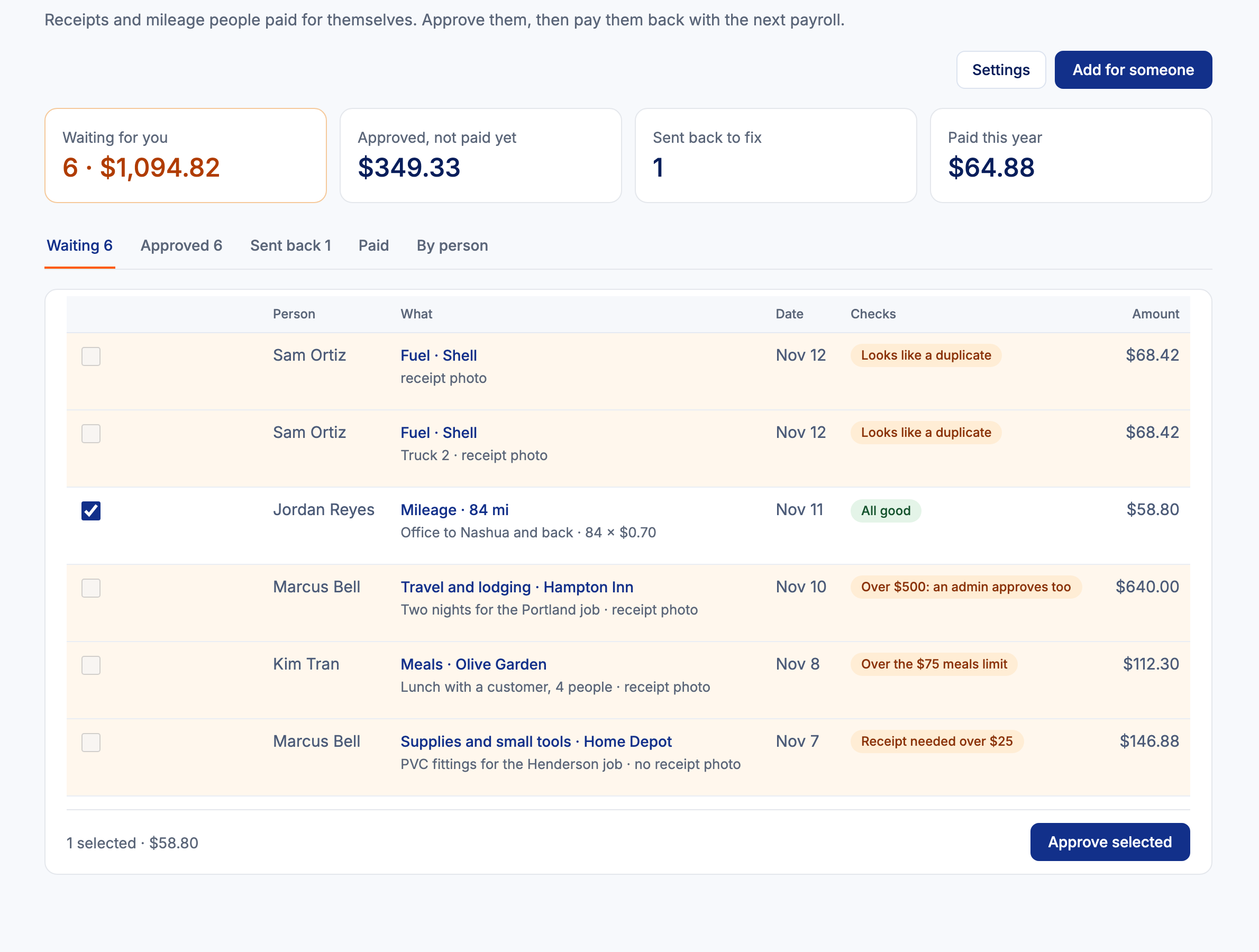

How expenses work
Add an expense
In My Employee Portal: a receipt photo, or mileage at your rate.
HRGP checks it
Missing receipt, over a limit, older than your cut-off or a likely duplicate are flagged.
Approve, send back or deny
The manager decides; amounts over your second-approval limit also need an admin.
Pay it back
Add approved expenses to the next payroll file as a Reimbursement (not taxed) amount, or mark them paid outside payroll.
Equipment
- Laptops, phones, keys, uniforms, tools, vehicles and company cards, with a tag, serial and condition. Import from a spreadsheet.
- Hand out an item and the person signs a receipt in HRGP by typing their name.
- When someone leaves, the Collect equipment task lists what they have: Returned, Missing or Keep it.
- Employees see their items and can report a problem with a photo.
- HRGP never takes money out of a paycheck for a missing item.
Expense and equipment questions
Which payroll files show the reimbursement?
The pay-period files and the ADP, Paychex, QuickBooks and Paycom entry sheets get a Reimbursement (not taxed) amount. Gusto and BambooHR new-hire files have no amounts.
Who reads the receipt?
HRGP's AI reads the store, date and total; the employee checks every field before sending.
Can managers see equipment values?
No. Managers see what their people have, without values.
Related
Set your mileage rate and categories, then tell your team.
Part of HRGP, the HRIS for small business. $99 a month. No per-seat fees. 14-day free trial.